Kitty App is free to download. No subscription, no watermark, no trial.
Download Kitty App →
What is Kitty App?
Kitty App is a free desktop video editor for Windows with over 50 built-in AI workflows. In short, it combines a professional multi-track timeline with AI video generation, image creation, lip-sync, audio-synced talking heads, animated captions, color grading, and one-click export — all in a single application.
Most importantly, the editing tools are completely free — no watermarks, no trial, no subscription. You only pay for AI generation using a simple pay-as-you-go credit system, starting from $0.02 per generation.
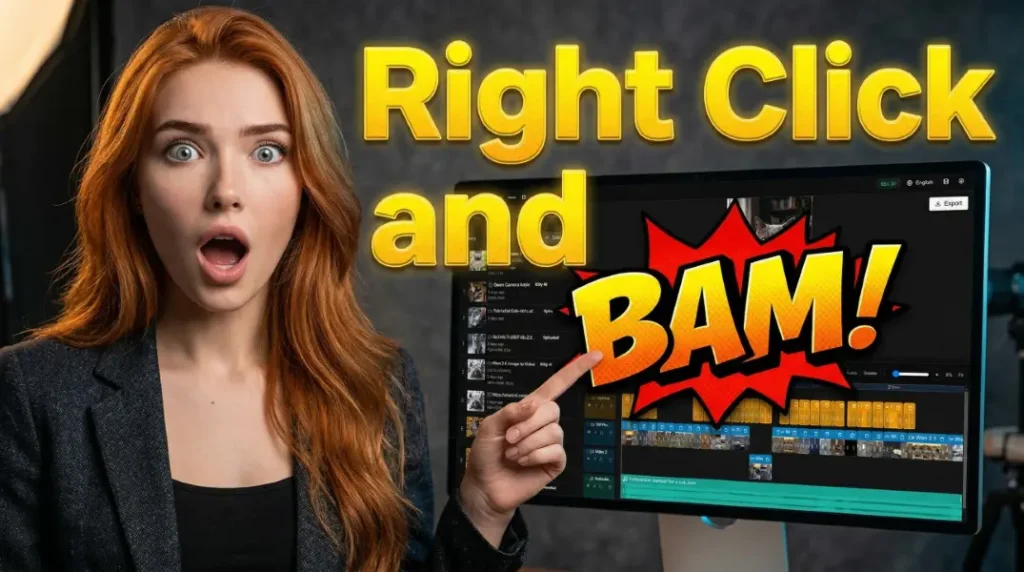
Most AI video tools force you into a browser, charge monthly subscriptions, and give you clips with no way to edit them together. However, Kitty App takes the opposite approach: it’s a real desktop editor where AI is built into every right-click menu. For example, generate a clip and it lands on your timeline. Need lip-sync? Right-click, done. Want to upscale to HD? Right-click, done. Consequently, there’s no tab-switching, no exporting and re-importing — just one seamless workflow.
In This Article
- 50+ AI workflows: video generation, lip-sync, image editing, audio
- Key models: Veo 3.1, LTX 2.3, WAN 2.6, Nano Banana 2, FireRed
- Professional timeline, captions, color grading, and export
- The website: druidcat.com and its features
- How pricing works — the editor is free forever
- Step-by-step setup guide
Generate, Edit, and Export — All in One App
To do what Kitty App does, you would typically need a video editor, an AI image generator, an AI video generator, a lip-sync tool, an audio generator, a voiceover tool, a caption tool, and an upscaler. That’s eight separate tools. Instead, everything lives inside one free application.
Rather than visiting separate websites for each AI model, everything is integrated into one panel. Moreover, every generated asset automatically appears in your media library — ready to drag onto the timeline. As a result, you never leave the editor during your entire creative process.
50+ AI Workflows Built Into Kitty App
Kitty App includes multiple video generation models, each with different strengths. Because of this variety, you can pick the best tool for each specific task.
Veo 3.1 — Highest Quality AI Video by Google
First of all, Veo 3.1 from Google DeepMind delivers state-of-the-art visual quality. It supports text-to-video, image-to-video, and first-last-frame animation with the most realistic motion available. Furthermore, a video+audio mode is available at $0.52/sec. Prices start from $0.27/sec.
LTX 2.3 — Open-Source Video with Audio Sync
Secondly, LTX 2.3 from Lightricks is the latest open-source video model with high-quality 24fps output. It offers two workflows: standard T2V/I2V ($0.26–$0.32) and Audio Sync with lip-sync modes — Person Talks, Person Sings, No Lip Sync — up to 30 seconds ($0.29/5s). In addition, it supports LoRA for character consistency.
WAN 2.6 — Fast Video Generation with Lip-Sync
Meanwhile, WAN 2.6 from Alibaba generates video in just 1–3 minutes. It includes text-to-video, image-to-video, and a unique Reference-to-Video mode — simply upload 1–4 reference images for character consistency without LoRA training. On top of that, built-in lip-sync for 3–15 second clips makes it ideal for talking-head content. Prices range from $0.30–$0.40/5s.
WAN 2.2 — Open-Source with LoRA & Dance
Additionally, WAN 2.2 runs on a ComfyUI-powered backend and supports image-to-video, first-last-frame morphing, and long videos up to 30 seconds with full LoRA support. What’s more, dance video generation is available through WAN Animate and WAN SCAIL for multi-person choreography.
SVI Pro Extended — 30-Second AI Video
Finally, SVI Pro Extended generates clips up to 30 seconds with per-segment prompts. In other words, you describe what happens in each part of the video and the AI builds the whole thing. As a result, it delivers the best temporal consistency for long clips. Prices range from $0.34–$1.59.
AI Lip-Sync & Talking Heads in Kitty App
Two powerful lip-sync options are available in Kitty App. Importantly, both are accessible with a simple right-click on any audio clip in your timeline:
WAN 2.6 Lip-Sync
Upload a face image and an audio file (speech or voiceover, max 15 seconds). Then, the AI generates a video where the person moves their lips in perfect sync. It snaps to 3, 6, 9, 12, or 15-second durations, and consequently results arrive in just 1–3 minutes.
LTX 2.3 Audio Sync
This option handles longer clips up to 30 seconds with three lip-sync modes: Person Talks, Person Sings, and No Lip Sync (for background audio). Moreover, it supports LoRA for character consistency — making it the only lip-sync workflow with custom character support.
Tip: Quick Lip-Sync from Timeline
To get started quickly, trim your audio clip to 15 seconds or less, then right-click it on the timeline. The “Create Lip-Sync Video” option appears instantly. After that, select a face image, click generate, and the talking head video drops right back onto your timeline. Just two clicks.
Image Generation & Editing with Kitty App
Before generating video, you’ll often want to create the perfect starting image. For this reason, Kitty App includes several powerful image workflows.
Nano Banana 2 — Google’s Best Image Model
Specifically, Nano Banana 2 (Gemini 3.1 Flash) generates stunning images up to 4K resolution. The edit mode accepts up to 14 reference images for maximum consistency. In addition, there are 10 aspect ratios including 21:9 ultrawide. Prices start from $0.12 for generation and $0.20 for editing.
FireRed Image Edit 1.1 — Identity-Preserving Edits
Similarly, FireRed Image Edit 1.1 provides open-source image editing with identity preservation. Simply upload 1–3 reference images, describe your edit, and the AI changes clothing, style, makeup, or background — while keeping the person’s face consistent. As a result, it’s perfect for character-based content at just $0.18 per edit.
Z-Image Turbo — Fastest & Cheapest
For budget-conscious creators, Z-Image Turbo offers ultra-fast image generation at the lowest price: $0.09/image. It also supports custom LoRA files from CivitAI — if you trained your own character LoRA, simply drag in the .safetensors file, set the strength, and generate. No filters, no restrictions.
Qwen Suite — Six Specialized Tools
Furthermore, the Qwen Suite includes six specialized workflows: Text-to-Image (with text rendering), Realistic mode, Image Edit, Inpainting, Change Clothes, Camera Angle, and Relighting. All of them support full LoRA for precise character edits without leaving the app.
Enhancement & Post-Processing in Kitty App
After generating your clips, these tools help you polish them to professional quality. Most importantly, all of them are accessible with a right-click directly on the timeline.
Frame Interpolation
Turn choppy 16fps AI-generated video into smooth 30fps or 60fps. This is the cheapest video workflow at $0.02/sec, supporting clips up to 60 seconds.
SeedVR2 Upscale
4K image upscaling and HD video upscaling with AI detail enhancement. Because it’s built in, you can right-click any clip and choose upscale instantly.
Video Enhancer
AI-powered detail and realism boost with frame-by-frame enhancement. In particular, the Long Video Enhancer handles clips up to 30 seconds using intelligent tiled processing.
Professional Timeline Editor in Kitty App
This is not a toy timeline. On the contrary, it’s a frame-accurate, multi-track editor built on professional concepts. Here’s what it includes:
- Multi-track editing — layer video, audio, captions, and images on separate tracks
- Drag and drop — move clips freely with snapping to clip edges and playhead
- Frame-precise trimming — trim start and end of any clip to the exact frame
- Right-click AI menu — lip-sync, upscale, enhance, or extend clips directly from the timeline
- Keyboard shortcuts — Arrow keys for ±1 frame, Shift for ±5 frames, Ctrl for ±1 second
- SMPTE timecode — professional HH:MM:SS:FF display
- Mark In/Out — right-click to set export ranges for specific sections
- Audio mixer — per-track volume (dB display), pan control, solo and mute buttons
- Stereo waveforms — left and right channels rendered separately for precise audio editing
Animated Captions with 7 Styles
Notably, captions are first-class citizens in Kitty App. You can auto-transcribe speech in 28+ languages, then choose from seven animation styles:
Clean static text
Progressive word lighting
Music video color fill
Playful word scaling
Character-by-character
Dynamic word animation
Dramatic shadow effects
Every caption is fully customizable — font, size, color, outline, shadow, and position. Above all, word-level timing ensures each word animates at its exact spoken moment. These are TikTok-ready, attention-grabbing animated captions that are specifically designed to make people stop scrolling.
Color Grading & Effects in Kitty App
Three-way color wheels (shadows, midtones, highlights) with independent RGB control give you the same toolset professional colorists use. On top of that, brightness, contrast, saturation, and animation keyframes for scale, opacity, rotation, and position are all included. Therefore, you can achieve a fully polished cinematic look without any external tools.
The Website: druidcat.com
Don’t want to install a desktop app? In that case, all the same AI workflows are available directly on druidcat.com through your browser. Here’s what the website offers:
- All 50+ AI workflows — same models and same pricing as the desktop app
- Music Video Creator — upload a song, the system automatically detects beats and creates segments, then you can generate video for each segment and merge into a complete music video (up to 6 minutes)
- My Generations — view and download your recent outputs at any time
- LoRA management — upload and manage your custom LoRA files easily
- AI Chatbot (Druid Cat) — ask questions about workflows and get instant help whenever needed
- Same account and credits — your balance works seamlessly across both web and desktop
The desktop app adds the professional timeline editor, captions, color grading, and multi-track editing on top of the web workflows. Therefore, use the website for quick generations and switch to the app when you need to assemble and edit your content.
How Pricing Works in Kitty App
The Editor is FREE — Forever
Download Kitty App, install it, and start editing videos at no cost. The timeline, captions, color grading, effects, and export are all free with no limits, no watermarks, and no trial period. In other words, you can edit videos from your own footage right now without spending a cent.
You only spend credits when you use AI features — for instance, generating videos, creating images, lip-sync, or music generation. Credits are pay-as-you-go with a $3 free trial and $5 minimum top-up. Most importantly, there are no monthly fees, and credits remain valid for 12 months.
Open-Source Models Available in Kitty App
Kitty App integrates both proprietary APIs (such as Google Veo and Alibaba WAN 2.6) and open-source models running on dedicated GPU infrastructure. Specifically, all models run on RunPod GPUs, so you don’t need any hardware of your own.
LTX 2.3
By Lightricks. High-quality 24fps video generation with audio sync and lip-sync. Also includes LoRA support.
FireRed Image Edit 1.1
By FireRed Team. Consequently, it provides text-guided image editing with identity preservation for consistent character edits.
WAN 2.2 (Alibaba)
Open-source video generation with image-to-video, text-to-video, and dance transfer. Furthermore, it supports LoRA and ControlNet via ComfyUI backend.
Qwen-Image-2512
By Alibaba. Notably, it excels at text rendering in images and realistic human generation with six specialized workflows and full LoRA support.
Who Is Kitty App For?
Because of its versatility, Kitty App serves a wide range of creators:
- Content creators — in particular, those making TikToks, Reels, and YouTube Shorts with AI-generated visuals and animated captions
- Music artists — for example, creating AI music videos with lip-synced characters using LTX 2.3 Audio Sync or WAN 2.6
- AI influencer builders — specifically, training a LoRA, generating consistent character content, and editing multi-clip projects on the timeline
- Small businesses — as a result, they can produce marketing videos without hiring an editor or paying for subscriptions
- Open-source enthusiasts — above all, those who want to use LTX 2.3, FireRed, WAN 2.2, and Qwen models with custom LoRAs
- Anyone on a budget — because the editor is free with pay-as-you-go AI starting at $0.02 and no monthly drain
Getting Started with Kitty App — 5 Steps
Step 1: Create Your Free Account
First of all, visit druidcat.com/my-account and register. It’s completely free — no credit card required. Additionally, you receive a $3 trial balance to get started.
Step 2: Download Kitty App
Next, go to druidcat.com/kitty-app (requires login) and click Download. It’s a standard Windows installer, currently available for Windows 10/11 (64-bit).
Step 3: Generate Your API Token
Then, in your account dashboard, go to the API Token tab. After that, click Generate API Token, copy it, and save it somewhere safe.
Important: Your token is shown only once when created. If you lose it, simply revoke the old token and generate a new one from your dashboard.
Step 4: Connect Kitty App to Your Account
- First, open Kitty App and click the gear icon (Settings) in the top-right corner
- Then, set API URL to:
https://druidcat.com - Next, paste your API Token into the token field
- Finally, click Save — your balance appears in the app immediately
Step 5: Start Creating with Kitty App
Create a new project and choose your aspect ratio (for instance, 16:9 for YouTube, 9:16 for TikTok/Reels, or 1:1 for Instagram). After that, set your frame rate and start building. Use the right panel to generate AI content, then drag it to the timeline, add captions, color grade, and export.
Technical Specs of Kitty App
- Platform: Windows 10/11 (64-bit)
- Built with: Electron, Next.js 16, React, TypeScript
- Storage: Local IndexedDB + optional disk cache (consequently, data survives reinstalls)
- Export: WebCodecs (primary) + FFmpeg (fallback)
- Aspect ratios: 16:9, 9:16, 1:1
- Frame rates: 24, 25, 30, 60 FPS
- Export resolution: Up to 4K
- Internet: Required only for AI features — as a result, editing works fully offline
Download Kitty App
Ready to Create?
Download the app for free. Then, generate your API token and start building videos with AI in minutes. Over 50 workflows, zero subscriptions.
Free forever. No subscription. No watermark. Pay only for AI generation.
Questions or feedback? In that case, visit druidcat.com/suggestions or join the community on Patreon.