🐱 Kitty AI Studio

🌙 Dark Mode

Kitty AI Studio — Online AI Video & Image Generator

Generate stunning AI videos and images without a subscription — pay only per generation. Powered by the best open and closed models: LTX 2.5, WAN 3.0, Kling 3.0, Seedance 2.0, VEO 3.1, Z-Image, Qwen, Ideogram 4, and SCAIL-2 character animation. No monthly fees — create AI videos, AI images, and AI art on demand.

🎁 New here? Create a free account and get $0.20 in welcome credits — your first generations are on us.  Sign up free

Tip: Right-click and "Open in new tab" to run multiple workflows simultaneously without losing progress.

Video Generation

17
Seedance 2 Text-to-Video
Text → Video (Standard or Fast)

ByteDance Seedance 2 text-to-video. Standard $1.50/5s (720p/1080p, 4K available) or Fast $0.95/5s (480p/720p). Native audio, multi-shot, up to 15s.

Popular
Seedance 2 Image-to-Video
Image → Video (Standard or Fast)

Animate images with Seedance 2. Standard $1.50/5s (720p/1080p, 4K) or Fast $0.95/5s (480p/720p). First+last frame, native audio, up to 15s.

Seedance 2 Omni Reference
Multimodal → Character Video

Multimodal generation: up to 9 reference images (@Image1), 3 reference videos (@Video1), 3 reference audios (@Audio1), OR first+last frame. Standard $1.50/5s or Fast $0.95/5s. Native audio.

Omni Flash
Omni Flash
Text / Image → Fast Video

Google Omni Flash — fast multimodal video from a prompt and up to 3 reference images. 720p / 1080p / 4K, 4–10s.

Seedance 2.5
Seedance 2.5
Text/Image → Video with Audio (4–30s)

ByteDance Seedance 2.5 — up to 30 seconds in a single shot, 480p or 720p, seven aspect ratios and an optional synchronised audio track. $0.20/s at 480p, $0.40/s at 720p.

LoRA
LTX 2.5 Text to Video
Text → High Quality Video with Sound (up to 20s)

Generate high-quality video with a native soundtrack from text using the LTX 2.5 22B distilled model. Optional custom audio track, two LoRA slots, 1–2 megapixel output. From $0.40.

LoRA
LTX 2.5 Image to Video
Image (+ Audio) → Video with Lip Sync (up to 20s)

Animate a still image with LTX 2.5. The model writes its own soundtrack, or you can upload your own audio and it lip-syncs to it. Two LoRA slots, 1–2 megapixel output. From $0.40.

LoRA
LTX 2.5 First & Last Frame
2 Images → Video with Sound

Generate a smooth transition between two images with LTX 2.5, complete with a generated soundtrack — or supply your own audio. Two LoRA slots, 1–2 megapixel output.

Wan 3.0 Text-to-Video
Text → HD Video with Audio (up to 30s)

Generate high-quality video with audio from text prompts. Multi-shot narrative, audio-video sync. 480P, 720P or 1080P, up to 30 seconds in a single pass.

Wan 3.0 Image-to-Video
Image → HD Video with Audio (up to 30s)

Generate video from first frame, first+last frame, with audio sync or video continuation. Multi-shot narrative. 480P, 720P or 1080P, up to 30 seconds. Audio-sync and video-continuation modes run on the Wan 2.7 engine, which is the only one that supports them.

Wan 3.0 Reference-to-Video
Reference Images, Video & Audio → Character Video (up to 30s)

Create videos with consistent characters from reference images, video clips and audio tracks — up to 10 images, 5 clips and 5 audio tracks. Multi-character interaction, voice timbre replication. 720P or 1080P.

Popular LoRA
SVI Pro - Extended Video
Image → 5-30s Video

Create high-quality extended videos up to 30 seconds! Improved WAN 2.2 models for superior quality.

Popular
Kling 3.0
Text/Image → HD/Full HD Video

Kuaishou Kling 3.0 — HD/1080p video with native audio, multi-shot storyboarding, character consistency. 3-15 seconds.

Popular
Veo 3.1
AI Video Generation

Google DeepMind's advanced video generation. T2V, I2V, and First/Last Frame modes. $0.10-0.40/sec.

WAN First Frame Last Frame
Morph Video

Create smooth video transitions morphing from first to last frame.

LoRA
Wan 2.2 Image to Video (Fast)
Image + Lora (Wan 2.2) → Video

Fast image-to-video with optional LoRA (Wan 2.2) and frame interpolation for smoother motion.

WAN 2.2 Long Video (Basic)
Image → Long Video (up to 30s)

Create longer videos up to 30 seconds. For better consistency, try SVI WAN 2.2 Extended Video.

Image Generation

19
Popular
GPT Image 2.5
GPT Image 2.5
Text to Image

Text to image on GPT Image 2.5 (Sunburst) — realistic lighting, crisp typography, great for posters and product shots. Two quality tiers above High, transparent backgrounds for logos and cut-outs, PNG / JPEG / WebP output, 10 aspect ratios up to 4K.

LoRA
Ideogram 4 — Posters & Typography
Text → Image with Perfect Text Rendering

Ideogram 4.0 open-weights text-to-image model with best-in-class TEXT RENDERING — ideal for posters, logos, typography, and memes. Understands structured JSON prompts for precise control. Two custom LoRA slots. Single quality mode, $0.20 per image. Up to 4 images per generation.

LoRA
Krea 2 Turbo + Identity Edit
Aesthetic-Control Image Model

Krea 2 — Krea's aesthetic-control image model. Generate from text (Turbo) or use the Identity Edit tab to repose/restyle a person while keeping their identity. Preinstalled style LoRA dropdown plus custom LoRA slots. Open source.

Boogu Image — PiD
Boogu Image — PiD
Text → Base + Refined + PiD Upscaled

Open-source Boogu base generation refined by Z-Image Turbo, then upscaled with the NVIDIA PiD pixel-diffusion upscaler. Every run returns three images — base, refined, and PiD upscaled. Orientation select + denoise control. Locked at 1024 base.

LoRA
Krea 2 GonzoLomo
Krea 2 GonzoLomo
Analog / Lomography Look

Krea 2 with the GonzoLomo v3.0 finetune — raw analog photography, lomo colour, film imperfection. Returns the base render and a PiD 4× upscale, same as Image Turbo. One built-in style LoRA slot plus one custom slot. Open source.

LoRA
Krea 2 Ultra Realistic
Text → Ultra-detailed Photo

Two sampling passes on a base Krea 2 checkpoint for maximum photographic detail, up to 1920px. Five base models to choose from, one built-in style LoRA plus two custom slots, and a negative prompt on the front. $0.24 per image.

1-Click Dataset Creator
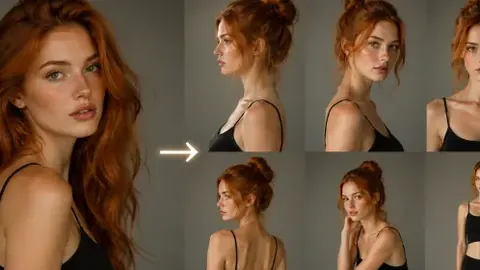
One Photo -> Full LoRA Training Set

Upload one photo of your character and get a complete LoRA training dataset: angles, expressions, full body and location shots, generated with Nano Banana 2 or GPT Image 2. Auto-captioned and delivered as a ready-to-train ZIP.

Nano Banana 2
Nano Banana 2
Edit + Generate Images

Gemini 3.1 Flash Image — pro-level visual intelligence with Flash-speed efficiency. Edit with up to 14 reference images or generate from text.

Popular
Wan 2.7 Image
Wan 2.7 Image
Text + Up to 9 Images → AI Image

Generate and edit images with Wan 2.7. Up to 9 input images for editing, fusion, style transfer, and more. Standard model, up to 2K.

Popular LoRA
Instagirl Aesthetic
Instagirl Aesthetic
Text → Instagram Style Image

Generate images with Instagram-perfect aesthetic. Optimized for portraits with the "Instagirl" style.

Popular LoRA
WAN Realistic Image
WAN Realistic Image
Text + Lora → Realistic Image

Generate highly realistic images with optimized settings and special realism-focused LoRA.

LoRA
Z-Image Text to Image
Text + 3 LoRAs → Base & Upscaled Images

Single-pass Z-Image Base generation with NVIDIA PiD pixel-diffusion upscaler — faster and sharper than two-stage. Always returns both base and upscaled outputs (multiplier ×1–×4, max base resolution 1024). Up to 3 custom LoRAs. Full control over denoise, steps, and CFG.

LoRA
Z-Image from Reference
Reference Image + 3 LoRAs → Base & Upscaled Images

Generate images from a reference image with NVIDIA PiD pixel-diffusion upscaler. AI analyzes the reference and creates the prompt automatically, then generates and upscales in a single pass — both images returned (multiplier ×1–×4, max base resolution 1024). Up to 3 custom LoRAs. Full control over denoise, steps, and CFG.

LoRA
WAN 2.2 Text to Image
Text + 2x Custom LoRA Slots → Image

Generate high-quality images from text prompts with two optional custom LoRA slots (WAN 2.2 High/Low Noise).

Fast LoRA
Z-Image Turbo
Z-Image Turbo
Text + Lora + Upscaler → Image

Ultra-fast image generation with NVIDIA PiD pixel-diffusion upscaler always on. Every generation returns two images: base and upscaled (multiplier ×1–×4). Max base resolution 1024. Results in seconds!

LoRA
Z-Image Base + Turbo
Text + LoRA → Base & Turbo Images

Two-stage Z-Image. Get both base and turbo-refined outputs with LoRA presets and up to 3 custom LoRAs.

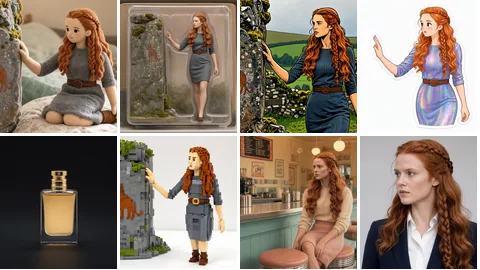
Multiple Character Angles
Character Image → 8 Angle Images

Generate 8 different camera angles (close-up, wide, 45°, 90°, aerial, low angle) from a single character image using Qwen AI.

Qwen Camera Angle
Qwen Camera Angle
Image + Angle → New View

Generate different camera angles of your image using interactive 3D controls. Adjust horizontal angle (0-360°), vertical angle (-30° to 60°), and zoom level.

Qwen Multi Camera Angles
Image → 6 Different Views

Generate 6 different camera angles of your image at once. Configure each angle with horizontal, vertical, and zoom controls for comprehensive character sheets or product views.

Image & Video Editing

12
GPT Image 2.5 Edit
GPT Image 2.5 Edit
Edit Image with Instructions

Image editing on GPT Image 2.5 (Sunburst) — natural-language instructions with up to 16 reference images. Paint a mask and it edits only what you painted, leaving the rest of the picture untouched. Transparent backgrounds for logos and cut-outs, PNG / JPEG / WebP output, and two extra quality tiers above High. Crisp typography, photorealistic composites, 10 aspect ratios.

Boogu Image Edit
Boogu Image Edit
Up to 4 Images + Text → Edited Image

Open-source Boogu multi-image editor — upload up to 4 photos and blend, fuse or restyle them with a text instruction. Reference your uploads in the prompt as @image1–@image4. Inputs auto-resized to 1280px.

LoRA
Z-Image Turbo Face Inpaint
Photo → Auto Face Repaint

Open-source face inpainting with Z-Image Turbo. Automatically detects the face and repaints only that region behind a feathered mask for a seamless blend — no visible box. Denoise control plus the same Z-Image Turbo LoRA presets and a custom LoRA slot. Locked at 1280px.

Seedance 2 Video Edit
Video + Text → Edited Video

Edit videos with text instructions. Object replacement, style transfer. Standard $1.50/5s or Fast $0.95/5s. Use @image1 in prompt to reference uploaded images.

LoRA
Krea 2 Inpainting
Krea 2 Inpainting
Describe → Mask → Replace

Say what to mask in plain words — "blonde hair", "the red car" — and SAM3 finds it, then Krea 2 repaints only that area. No brush, no manual masking. One custom LoRA slot. $0.22 per image.

Wan 3.0 Video Editing
Video + Text → Edited Video (up to 30s)

Edit videos with text instructions. Style transfer, object replacement, scene changes. Optional reference images. 480P, 720P or 1080P, up to 30 seconds.

Wan 2.7 Pro Image Edit
Text + Up to 9 Images → Pro 4K Image

Professional image editing with Wan 2.7 Pro. Thinking mode for better composition, 4K support, up to 9 input images.

Qwen Image Edit
Qwen Image Edit
Image + Text → Edited Image

Edit images with text instructions using Qwen AI model.

LoRA
Qwen Change Clothes
Qwen Change Clothes
Image + Lora → New Outfit

Change clothes on people in images with consistent LoRA style.

FireRed Image Edit 1.1
Text-Guided Image Editing (1-3 images)

Open-source text-guided image editing with state-of-the-art identity consistency. Upload 1-3 reference images and describe the edit. Supports clothing changes, style transfer, makeup, photo restoration, virtual try-on, and more. 20B parameter model by Xiaohongshu/RedNote.

LoRA
Qwen Inpainting
Qwen Inpainting
Paint Mask → AI Fill

Paint over areas you want to change, then describe what should replace them. Perfect for object removal, replacement, or adding new elements.

AI Green Screen
AI Green Screen
Video → Background Removal

Remove background from any video using AI matting. Outputs green screen video with clean edges.

Enhance & Upscale

13
Simple Upscale
Simple Upscale
Image → 2× or 4× Upscale

Straightforward ESRGAN upscaling — no prompt, no re-generation, nothing invented. The picture stays exactly as it was, only bigger and cleaner. Pick 2× for a safe enlargement or one of the 4× models for posters and prints. $0.04 per image.

LTX 2.5 Upscaler
LTX 2.5 Upscaler
Video → Sharper Video (up to 1920px)

Feed in a clip and LTX 2.5 re-renders it sharper: a light refinement pass at the original content, a temporal upscale that doubles the frame rate through the sampler for smoother motion, then RTX super-resolution. Keeps the original audio. From $0.44 — same duration tiers as LTX 2.5 Image to Video plus 4c.

Popular LoRA
WAN Long Video Enhancer
Long Video → Enhanced Video

Enhance videos up to 30 seconds with smart batch processing and seamless frame blending.

SeedVR2 4K Upscale
SeedVR2 4K Upscale
Image → 4K Image

Upscale images to 4K resolution using SeedVR2 model.

SeedVR2 Simple Upscale
Image → Enhanced Image

Quick image upscaling with SeedVR2 for everyday use.

LoRA
WAN Image Enhancer
WAN Image Enhancer
Image + Lora → Enhanced Image

Enhance and upscale images with optional custom LoRA for style control.

LoRA
Wan 2.2 Video Enhancer
Video → Enhanced Video

Enhance video quality. Upscale resolution and boost details frame by frame.

SeedVR2 HD Video
Video → HD Video

Upscale videos to HD resolution using SeedVR2 model.

Film Grain Effect
Film Grain Effect
Image → Film Style Image

Add authentic film grain texture to your images. Adjust intensity and saturation for vintage look.

Frame Interpolation
Frame Interpolation
Video → 2x FPS

Auto-detect and double your video frame rate using RIFE AI interpolation. Smoother motion!

LoRA
Qwen Upscale
Qwen Upscale
Image → HD Upscaled Image

High-definition magnification trained on Qwen-Image-Edit-2511. Losslessly enlarges images to approximately 2K size. Add your own LoRA for custom styles.

Video Upscale & Detail Restore
Video → Enhanced Video

FlashVSR-powered video detail restoration. Restores hair, skin, textures while preserving face identity. Optional 2x upscale.

RTX AI Upscale
RTX AI Upscale
Video/Image → HD Upscale

NVIDIA RTX Video & Image AI Upscaler — powered by RTX Video Super Resolution. Upscale videos up to 4x and images to ultra-high resolution.

71
AI Tools
24/7
Available
HD+
Quality Output
Frequently Asked Questions
How does pricing work?
There are no subscriptions. You top up credits and pay only for what you generate — prices vary by model. Quick images start from $0.10; short videos from around $0.10/second.
Do I need an account to browse?
The tool hub is public — browse freely. You only need to log in when you want to generate. Registration is free and takes seconds.
Can I use outputs commercially?
Yes for most models. Check the individual tool pages — open-source models (LTX 2.5, WAN 2.7) are generally permissive, while commercial API models (Kling, Seedance, VEO) follow their respective provider terms.
How does AI video generation work?
You describe a scene (and optionally upload a reference image), choose a model, and our servers run the generation on dedicated GPU infrastructure. Results are typically ready in 10 seconds to a few minutes depending on the model and duration.
Essential Guide

How to Train Your Own LoRA Model: Complete Guide to Creating AI Influencers

Watch the full video tutorial above or follow the step-by-step guide below Why LoRA Training Matters for Professional AI Content Training your own LoRA (Low-Rank Adaptation) model is essential when…

Read Tutorial 10 min read
Must Read
Music Video Creator Preview
New Feature

🎬 Music Video Creator

Create viral lip-synced music videos with the power of AI! Upload your audio track, generate stunning visuals for each beat, and export a professional music video in minutes.

  • Auto beat detection & smart segmentation
  • AI lip-sync for singing characters
  • One-click merge into final video
  • Perfect for TikTok, YouTube & Reels
Start Creating

Have a Suggestion?

Help us improve! Report bugs, request features, or share your feedback with the team.

Share Feedback

Your Voice Matters

We're constantly improving Kitty AI Studio based on your feedback. Whether it's a bug, a feature request, or just a thank you - we'd love to hear from you!