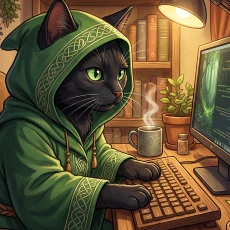
Want to create one-click AI video content without any technical setup? This complete guide covers Kitty AI Studio – a powerful one-click AI video platform where you can generate professional videos, images, TikTok content, and music videos instantly. No downloads, no complex configuration.
What Makes This One-Click AI Video Platform Different?
Kitty AI Studio is a cloud-based one-click AI video creator that runs on powerful GPUs – you don’t need to download anything or set up complex tools yourself. Unlike services like Runpod that require technical knowledge, our one-click AI video platform works instantly. Just register, add credits, and start creating with models from Wan-AI on Hugging Face.
One-Click AI Video Features & Benefits
💰 Pay As You Go
No monthly subscriptions. Pay only for the one-click AI video content you create.
📱 Mobile Friendly
Create one-click AI video content from your phone anywhere, anytime.
🚀 Instant Generation
No setup required. Just type your prompt and generate one-click AI video.
🎯 LoRA Support
Upload custom LoRA models for consistent characters in your one-click AI video.
One-Click AI Image Workflows
🖼️ Nano Banana Pro – Best Photorealistic One-Click AI
Google’s Nano Banana Pro is currently the best one-click AI image generator for realism. This workflow excels at:
- Professional headshots and portraits
- Product photography
- Realistic scene generation
- AI influencer photos
✨ Qwen Edit – One-Click AI Image Editor
Qwen Edit is a powerful open-source one-click AI image editor. Use it to:
- Edit specific parts of images with text prompts
- Change backgrounds, clothing, or objects
- Fix imperfections in AI-generated images
- Add or remove elements naturally
📸 Instagirl – Instagram One-Click AI Generator
The Instagirl workflow is a one-click AI generator optimized for that perfect Instagram influencer look:
- Preloaded settings that work like magic
- Built-in style LoRA (use trigger word “instagirl”)
- Adjustable LoRA strength in Advanced panel
- Upload your own custom LoRA for personalization
Pro Tip: Include “instagirl” in your prompt to activate the built-in style LoRA.
Best One-Click AI Video Workflows
🎬 WAN 2.2 – Open Source One-Click AI Video
WAN 2.2 from Wan-AI is one of the most popular open-source one-click AI video generators:
- Text-to-video generation
- Image-to-video animation
- Batch generation support
- Full LoRA compatibility
💃 WAN Scail – One-Click AI Video for TikTok
This one-click AI video workflow creates viral TikTok dance videos with unprecedented quality:
- High-quality dance video generation
- Perfect for TikTok and Instagram Reels
- Consistent character motion
🔄 WAN Animate – Style Transfer One-Click AI Video
Transfer style or person from any video with this one-click AI video workflow:
- Video-to-video style transfer
- Character consistency across videos
- Creative visual effects
📹 SVI Pro Extended – 30 Second One-Click AI Video
SVI Pro is a one-click AI video generator that creates 30-second videos perfect for social media:
- 30-second videos ideal for TikTok/Reels
- Segment-based prompting (describe what happens in each part)
- Professional results in under 10 minutes
⚡ Frame Interpolation – Smooth 30 FPS One-Click AI Video
Upscale your one-click AI video to smooth 30 FPS for professional-looking motion:
- Making AI videos look more natural
- Removing choppy frame artifacts
🎵 One-Click AI Music Video Creator
The Music Video Creator is a unique one-click AI video tool that creates complete music videos from your phone. Upload audio, add images and prompts to each segment, click animate, done.
How this one-click AI video creator works:
- Upload your audio track (works with Udio or Suno AI music too)
- System splits track into segments
- Add images and prompts for each segment
- Click to animate and download your one-click AI video
All One-Click AI Video Models
- Nano Banana Pro – Realism
- WAN 2.6 – Videos with sound
- WAN 2.2 – Open source video
- Qwen Text to Image
- Qwen Edit – Image editing
- SVI Pro – 30-second videos
- Video Enhancer
- WAN Scail – Dance videos
- Instagirl – Instagram aesthetic
💡 LoRA Tips for One-Click AI Video
Important: All uploaded data is stored for only 24 hours. Always download your one-click AI video work!
Pro Tip: Upload a LoRA with the same filename within 24 hours to skip the upload process and generate one-click AI video faster.
🚀 Get Started with One-Click AI Video
- Register at druidcat.com
- Add credits – pay only for what you use
- Choose a one-click AI video workflow from Kitty AI Studio
- Generate and download your content
Patreon supporters: Message us for free credit top-ups!
🗺️ Coming Soon: Cinema One-Click AI Video
On the roadmap: A full Cinema AI Studio – the next evolution of our one-click AI video platform with camera control, scene management, and professional video production tools.
Have workflow ideas for our one-click AI video platform? Use the suggestions form on the website!