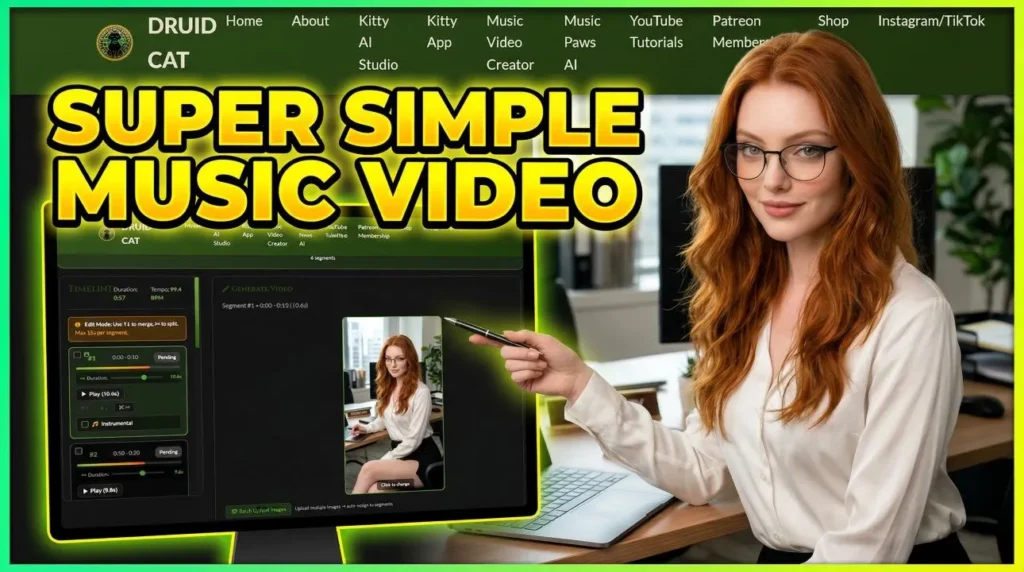
Want to turn your Suno or Udio tracks into professional music videos? The AI Music Video Creator on druidcat.com lets you do it in just three steps — no subscriptions, no hidden fees. Only pay for what you generate.
Why Use This AI Music Video Creator?
Other platforms lock you into monthly plans and charge extra for every correction. The AI Music Video Creator is simple, fast, and works from any device. It has built-in lip-sync, automatic beat detection, and one-click video merging. Perfect for TikTok Shorts, Instagram Reels, and YouTube content. Everything is transparent and you stay in full control.
AI Music Video Creator Features
🎤 Built-in Lip-Sync
Mouth movements automatically match the audio. Toggle instrumental mode for non-vocal sections.
🥁 Beat-Based Editing
Automatic beat analysis splits your track into segments. Freely merge, split, and adjust each one.
🎬 One-Click Merge
All segments stitched into one seamless video with your original audio. Download and publish.
💰 Pay Per Generate
A one-minute Full HD vertical music video costs around $5. Regenerate individual segments without redoing the entire project.
3 Steps to Your AI Music Video
Step 1: Create Your Scene Images
Think of it like a storyboard. Each image represents one shot in your music video. You need a song and a scenario — who are the characters, what is the mood?
Recommended workflows for images:
- Nano Banana 2 — Google’s newest model. Best quality, fast, easy to use. Upload a character reference photo and describe the scene.
- Z-Image Turbo — Most realistic open-source model. Supports custom LoRA files from CivitAI. A few cents per image.
- Instagirl, Wan Realistic, and 50+ other workflows on the website.
Important: Each video segment can be a maximum of 15 seconds long. Plan your shots accordingly. Also, resize your images to a smaller resolution before uploading to prevent errors — quality is preserved when scaling down from high resolution.
Step 2: Set Up the Music Video Creator
Go to druidcat.com and open the Music Video Creator.
- Upload your song — works with Suno, Udio, or any audio file.
- Set beat density — choose how many beats apart each cut should be (e.g. every 4 beats). Click Analyze Beats.
- Adjust segments — merge with arrow buttons, split with the Cut tool. Match the number of segments to your storyboard images.
- Upload images — assign one image per segment. Set the correct orientation (portrait for vertical shorts).
- Configure lip-sync — vocal segments get automatic lip-sync. Check the Instrumental box for non-vocal sections.
- Write prompts — set a global prompt for consistent style (e.g. “realistic, cinematic”), then add specific prompts per segment (e.g. “woman singing, camera zoom in”).
Select all segments using the checkboxes when ready.
Step 3: Generate & Finish
Click Generate All Selected. The AI animates each image with lip-sync, cut to the exact segment duration. Preview each segment individually when ready.
If any segment doesn’t look right, regenerate just that one without redoing the whole project.
When satisfied, click Merge Final Video. Everything is stitched together with your original audio. Download and publish.
Optional: Enhance Your Music Video
🔍 Upscale to HD
Use the HD Video Enhancer or Wan Enhancer (up to 30s clips) for higher resolution output.
🤖 AI Chatbot Assistant
Stuck on prompts? The DruidCat AI chatbot on the website knows all the tools and can guide you through the process.
Quick Recap
- Create images on druidcat.com using Nano Banana 2, Z-Image Turbo, or any other workflow.
- Upload into Music Video Creator — set up segments, prompts, and lip-sync.
- Generate, merge, and download your finished AI music video.
Three steps. One platform. Ready-to-publish content.
Start Creating Your AI Music Video
- Register at druidcat.com
- Add credits — pay only for what you use
- Open the Music Video Creator and follow the 3 steps above
Patreon supporters: Message us for free credit top-ups, ComfyUI scripts, and access to the Discord community!
Have ideas for new features? Use the suggestions form on the website — everything that makes sense will eventually appear on the platform.