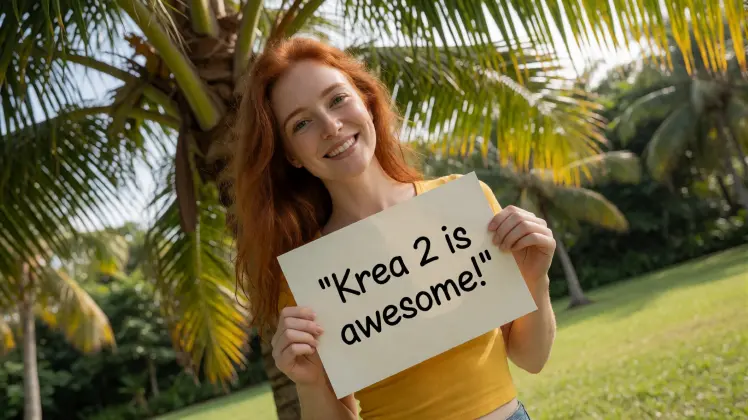
Krea 2 is an open-source AI image model that has quickly become the most realistic text-to-image option available. It turns a simple prompt into lifelike photos, and in our testing it looks noticeably more believable than closed models like GPT Image 2 – with no subscription required.
Why Krea 2 Looks So Real
Most image models are trained partly on AI-generated pictures. That sounds harmless, but it quietly caps quality – synthetic images are too easy for a model to learn, so the training drifts toward that slightly plastic “AI look”. Krea took the opposite approach.
According to Krea’s technical report, the model is a 12-billion-parameter diffusion transformer trained from scratch on billions of real photographs, with no synthetic data in the mix. The team even built custom filters to purge AI-generated images from the dataset. That is exactly why the realism shows up in skin texture, hair, fur and natural lighting.
Trained on Real Photos, Not AI Output
This is the single biggest reason the model stands out. Because it only ever saw real cameras, real light and real people, it reproduces the tiny imperfections that make a photo feel genuine. Pores, stray hairs, soft skin highlights and realistic depth all come through – the details that synthetic-trained models tend to smooth away.
Independent benchmarks back this up: Krea 2 currently ranks #1 among independent-lab text-to-image models. And because it is released as open weights, you get studio-grade realism without a subscription.
What It’s Great For
- Photorealistic portraits and headshots
- AI influencer and lifestyle content
- Product photography and e-commerce shots
- Cinematic stills, editorial looks and grainy film aesthetics
- Any time you want “real photo”, not “AI render”
Two Custom LoRA Slots for a Consistent AI Influencer
Realism is only half the story. To build a brand or a recurring character, you need the same face every time – and that is where LoRA models come in. Our open-source workflow ships with a built-in realism LoRA plus two extra custom LoRA slots, so you can stack your own trained models on top of the base realism.
If you want a perfect, repeatable AI influencer, it is well worth training your own LoRA. We have a full step-by-step guide here: How to Train Your Own LoRA Model for AI Influencers. The same process and dataset tips in that tutorial work perfectly for Krea 2 – just load your finished LoRA into one of the two custom slots and generate.
Pro tip: with two custom slots you can combine, for example, a character LoRA (your influencer’s face) with a style LoRA (a specific film stock or lighting look) in a single render.
Pair Krea 2 With an Upscaler
The model already produces clean, detailed images. For print, large displays or maximum sharpness, run your favourite result through an upscaler afterwards. We recommend Qwen Upscale on druidcat.com – it adds resolution and crisp detail while preserving the natural look that makes the model special.
Try Krea 2 on druidcat.com
You do not need a powerful GPU or any installation. On druidcat.com we host the fast Krea 2 Turbo checkpoint – the speed-optimised version of the model – so you can generate ultra-realistic images straight from your browser for just $0.16 per image. Pick an orientation, write your prompt, optionally add a LoRA, and generate.
New here? Start at the Kitty AI Studio hub to see all 65+ models.