
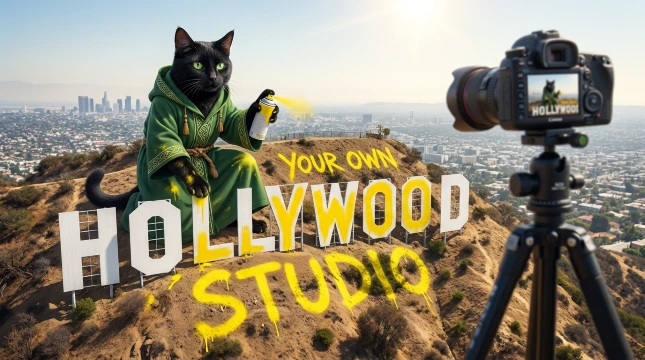
LTX 2.5 is the video model from Lightricks that makes a clip and its soundtrack in one go. Describe a scene, upload a picture or give it two frames, and you get video with matching sound: speech, music or ambient noise. This guide covers how LTX 2.5 works on druidcat.com: the three modes, the upscaler, your own audio, the two LoRA slots, 1 vs 2 megapixels, prompting tips, prices and typical times.
LTX 2.5 replaces LTX 2.3, which has been retired from the studio. Everything the old LTX 2.3 tools did, including lip-sync to your own audio, is now done by LTX 2.5.
What Is LTX 2.5?
LTX 2.5 is a 22B distilled video model from the Lightricks LTX family. Like LTX 2.3 before it, it generates audio and video together instead of dubbing sound on top afterwards, so footsteps, a voice or a piano line come out in time with the picture.
On druidcat.com it runs on our own GPUs (RTX 5090 class), so you need no hardware and no setup. With the November 2026 update it got faster: it now uses 6 sampling steps and hardware video encoding.
- Own soundtrack: the model writes sound for the scene from your prompt.
- Your own audio (optional): upload an MP3 or WAV and the clip follows it. In Image to Video the mouth can lip-sync to it.
- Two LoRA slots: load up to two LoRA files made for LTX 2.5, for a consistent character or style.
- 1 or 2 megapixels: 1 MP for drafts and most social clips, 2 MP for maximum detail.
- 24 fps, up to 20 seconds per clip, in 16:9, 9:16, 1:1, 4:3, 3:4, 21:9, 3:2 or 2:3.
The Three LTX 2.5 Modes and the Upscaler
LTX 2.5 has three tools in Kitty AI Studio, plus an upscaler for finished clips. All three generators share the same price list and the same options for audio, LoRAs and resolution.
Text to Video
LTX 2.5 Text to Video turns a written description into a clip with sound. Pick the aspect ratio, the resolution and the length, write the prompt and, if you like, a negative prompt. Describe what we should hear as well as what we should see.
Example prompt: “A woman with long red hair sits by a rainy window with a cup of tea, a black cat on the windowsill watches her. Soft rain taps on the glass, a kettle hisses in the background, she laughs quietly.”
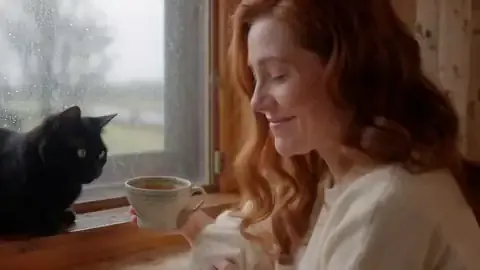
Image to Video (with lip-sync)
LTX 2.5 Image to Video brings a still picture to life. Audio is optional: leave it empty and LTX 2.5 composes its own soundtrack, or upload a voice-over or a song and choose a lip-sync mode:
- Person Talks for speech and voice-overs
- Person Sings for vocals in a song
- No Lip Sync when the audio is background sound or music only
The aspect ratio can follow your picture automatically. Your audio is trimmed to the length of the video, so pick a duration that covers the part you need. This is the mode for AI music videos, talking-head clips, AI influencers and product demos with narration.
First & Last Frame
LTX 2.5 First & Last Frame takes two pictures and generates the motion between them, with a soundtrack. The prompt is optional: use it to describe how one frame should turn into the other. You can also add your own audio track and up to two LoRAs.


It works best when both frames show the same scene and characters, as in the example above. Very different frames give the model a harder job and the motion can look forced.
LTX 2.5 Upscaler
The LTX 2.5 Upscaler re-renders an existing clip sharper. It runs a light refinement pass, a temporal upscale that doubles the frame rate for smoother motion, and then RTX super-resolution, up to 2.4 megapixels (for example 1920 x 1088). The original audio is kept. It accepts MP4, MOV and WEBM, so you can also use it on clips from other tools.
LTX 2.5 Prices
Text to Video, Image to Video and First & Last Frame cost the same. The price is a small fixed part per job plus a part per second, rounded up to a whole cent. At 2 MP the per-second part doubles. The tool page shows the exact price for your settings before you pay.
| Clip length | 1 MP | 2 MP |
|---|---|---|
| 5 seconds | $0.35 | $0.60 |
| 10 seconds | $0.60 | $1.10 |
| 20 seconds | $1.10 | $2.10 |
The LTX 2.5 Upscaler costs $0.74 for a 5-second clip and $1.37 for 10 seconds (about $0.13 per extra second). You pay from your druidcat.com credit balance (1 credit = $0.01). There is no subscription.
How Long Does It Take?
Typical times for a 5-second clip at 1 MP on a warm GPU:
| Tool | Typical time |
|---|---|
| Image to Video | about 1 minute |
| First & Last Frame | about 2 minutes |
| Text to Video | about 1.5 to 4 minutes |
| Upscaler (5 s up to 1920 x 1088) | about 5 to 6 minutes |
Longer clips and 2 MP take longer. Our GPUs are serverless, so the first job after a quiet period can take a few minutes more while a GPU starts. These are typical times, not promises.
1 MP or 2 MP?
1 megapixel is about 1344 x 704 for a 16:9 clip or 960 x 960 for a square one. That is enough for most phone-first content, and it is the cheapest way to test a prompt. 2 megapixels gives the model more pixels for faces, hands and fine texture, and it doubles the per-second part of the price.
- Use 1 MP for drafts, quick social clips and when you will generate many variations.
- Use 2 MP for the final version of a shot when detail matters.
- Or upscale later: generate at 1 MP, keep the best take and run only that one through the LTX 2.5 Upscaler.
Using Your Own Audio
All three generators accept an optional audio file (MP3 or WAV). If you skip it, LTX 2.5 writes its own soundtrack. If you add one, it is trimmed to the video length and the picture follows it.
- Upload a face picture in Image to Video. A clear, well-lit, front-facing portrait gives the best mouth movement.
- Upload your audio: a voice-over, a line of dialogue or a piece of a song from Suno, Udio or your own recording.
- Choose the lip-sync mode: Person Talks, Person Sings or No Lip Sync.
- Set the duration so it covers your audio.
- Describe the scene and any extra motion in the prompt, then generate.
The result is one video file with your original audio and mouth movements that match it. No manual alignment needed.
LoRA Slots
Each LTX 2.5 tool has two optional LoRA slots with a strength setting from 0 to 1.5. Use them to:
- load a character LoRA so the same face and body come back in every clip,
- add a style LoRA for a look such as anime, vintage film or a specific grade,
- stack both for more control over the final look.
The slots take .safetensors files made for LTX 2.5. LoRAs trained for other models, such as Z-Image or Krea 2, will not work here. You can find community LoRAs on Hugging Face or CivitAI, or train your own.
Prompting Tips for LTX 2.5
- Describe the sound. LTX models read audio cues from the text. Write “soft piano music”, “city traffic in the rain” or “she whispers ‘hello'” and the soundtrack follows.
- One shot, one action. A clip of 5 to 10 seconds handles one clear action and one camera move better than a whole story.
- Name the camera. “Slow push-in”, “handheld close-up” or “static wide shot” gives the model a clear brief.
- Use negative prompts. Excluding “blurry, low quality, static, no movement” often helps.
- Keep LoRA strength moderate. Start around 0.6 to 0.8 and adjust. Above 1.0 artifacts become more likely.
- Test cheap, then commit. Try the prompt as a 5-second 1 MP clip ($0.35) before you pay for 20 seconds or 2 MP.
- Chain clips for longer videos. Generate several clips and put them together on a timeline, for example in the free Kitty app.
- Smooth the motion. Frame Interpolation doubles the frame rate, from 24 to 48 fps, for $0.27 per 5 seconds. The LTX 2.5 Upscaler doubles it too while it sharpens.
Use LTX 2.5 in the Kitty App
The free Kitty app is a desktop video editor for Windows with a built-in AI agent, and LTX 2.5 is one of the models it can use. Ask the agent for a shot and it plans a block on the timeline, shows what it will cost and generates it when you say OK. You can also edit by hand: trim, arrange, add music and captions, and export. It uses the same druidcat.com credits as the web studio.
Download the Kitty app (free, Windows) →
Get Started with LTX 2.5
- Open druidcat.com/kitty-ai-studio and sign in. New accounts get a $0.20 welcome credit, valid for 7 days.
- Pick a mode: Text to Video, Image to Video or First & Last Frame.
- Add your inputs: a prompt, a picture, two frames or your audio.
- Set length, aspect ratio, resolution and optional LoRAs. The button shows the price.
- Generate and download. Results are kept on our servers for 24 hours, then deleted automatically, so save the clips you want to keep.
Need GPU power for your own LTX projects? Check out RunPod for affordable cloud GPU rentals.
FAQ
What happened to LTX 2.3?
LTX 2.3 has been retired from druidcat.com. LTX 2.5 took its place in all three modes (text to video, image to video, first and last frame), including lip-sync to your own audio.
How much does an LTX 2.5 video cost?
At 1 MP a 5-second clip costs $0.35, 10 seconds $0.60 and 20 seconds $1.10. At 2 MP: $0.60, $1.10 and $2.10. The price is the same for text to video, image to video and first and last frame.
Can LTX 2.5 lip-sync to my own voice or song?
Yes. In Image to Video, upload a face picture and your audio, then choose Person Talks or Person Sings. The audio stays as it is and the mouth follows it.
How long can an LTX 2.5 clip be?
Up to 20 seconds at 24 fps. For longer videos, generate several clips and join them on a timeline.
Which LoRAs work with LTX 2.5?
LoRA files (.safetensors) made for LTX 2.5. You can load two at once and set the strength of each from 0 to 1.5.
Do I need a GPU or a subscription?
No. LTX 2.5 runs on our GPUs and you pay per clip from your credit balance. There is no monthly fee.