

Two audio tools joined Kitty AI Studio in November 2026. Stem Splitter, our AI stem splitter, separates a soundtrack into dialogue, music and effects. Room Acoustics takes a dry voice and places it in a realistic room. Both run on our own servers, cost $0.13 and $0.10 per file, and finish in seconds once a worker is warm; the first job after a quiet period can take a few minutes longer while it starts. Together they fix two common problems in AI video: music you cannot get rid of, and voices that sound pasted on top of the picture instead of recorded in the room.
AI stem splitter: dialogue, music and effects
Upload one audio file and Stem Splitter returns three: dialogue, music and effects. This is the split film editors use for dubbing and remixing a soundtrack. It is not a song splitter for vocals, drums and bass.
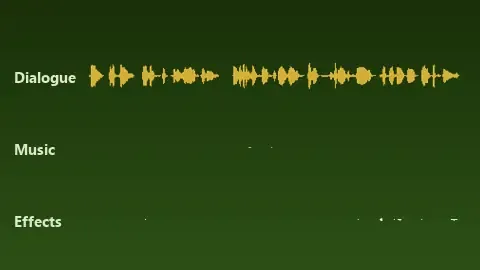
What you can do with the stems
- Remove music from a clip. Mute the music stem and keep dialogue and effects, for example when the music clashes with your edit or you do not have the rights to it. Then lay new music underneath.
- Remix. Turn the music down under speech, bring the effects up, or fix a clip where the music drowns the voice.
- Clean dialogue for dubbing. The dialogue stem is a clean voice track for transcription, translation or a talking-video tool, while the music and effects stems stay as the bed under a new voice.
Step by step
- Save the clip’s sound as an audio file. Most video editors and converters can export the soundtrack on its own.
- Upload it to Stem Splitter, check the price ($0.13) and start. A 10-second test clip took about 15 seconds.
- Download all three files within 24 hours.
- Put them on three tracks under your video. In our test each stem was the same length as the original, so they line up with the picture.
Tips: start from the best copy of the audio you have, because separation cannot bring back what compression removed. Listen to each stem before you use it. Separation is never perfect, and traces of music can stay in the dialogue where both are loud at the same time.
Room Acoustics: put a dry voice in a real-sounding room
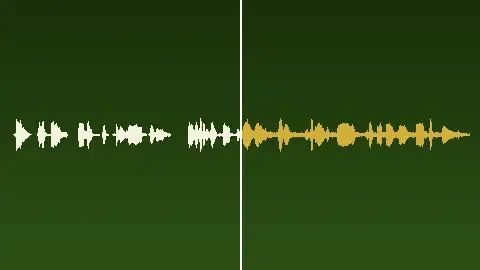
A voice-over recorded close to the microphone, or a text-to-speech line, is “dry”: it carries no room sound at all. Put it over a shot of a hall or a kitchen and it sounds pasted on. Room Acoustics places the sound in a realistic room and returns two files:
- The wet audio: your voice with the room’s reflections and reverb. In our test it was the same length as the input.
- The impulse response: a short file that captures how that room sounds. Load it into a convolution reverb plugin (the Kitty app supports VST3 plugins, and many reverb plugins accept impulse responses) to put more lines into the same room without running the tool again.
Advanced users can pass a room recipe to describe a specific room. Leave it empty and the tool uses its default room.
- Upload the dry voice or sound to Room Acoustics.
- Add a room recipe only if you need a specific room.
- Check the price ($0.10) and start. A 10-second line took about 3 seconds in our test.
- Download the wet file and the impulse response.
Tips:
- Start dry. A line that already has reverb gets a second room on top.
- Clean first. If the voice comes from a clip with music, run Stem Splitter and use the dialogue stem.
- Blend. Put the dry and wet versions on two tracks and balance them. More dry sounds closer, more wet sounds farther away.
Combining them with talking videos and the Kitty app
A talking character whose voice sits in the room
- Record or generate the voice line. In the free Kitty app, the AI agent can generate voice-overs with ElevenLabs using your own key.
- Make the talking video from a photo with MiniMax H3 Talking Video. Your voice track is written into the video untouched and the mouth follows your words. For longer talks use InfiniteTalk, or the partner model OmniHuman 2.0 (up to 5 minutes in one take).
- Run the same dry line through Room Acoustics.
- In the Kitty app, replace the clip’s sound with the wet line. Because the wet file is as long as the dry one, it stays in sync with the mouth.
Re-voicing a clip
- Run the clip’s sound through Stem Splitter and keep the music and effects stems.
- Record the new line, or generate it as a voice-over in the Kitty app (ElevenLabs, your own key).
- Give the new line the room it needs with Room Acoustics.
- Mix the wet line with the original music and effects stems, then add captions with styles and karaoke highlight in the Kitty app.
If a mouth on screen has to match the new words, make a new talking shot with MiniMax H3 Talking Video or InfiniteTalk, as above.
New music under an AI clip
LTX 2.5 writes its own soundtrack, and partner models such as Veo 3.1 and Seedance generate sound too. If the music in a result does not suit your edit, split the clip’s audio with Stem Splitter, keep the dialogue and effects, and add new music. In the Kitty app the agent can generate music with ElevenLabs (your own key), analyse its structure and place your clips on the beat.

Prices
| Tool | Price |
|---|---|
| Stem Splitter | $0.13 per file |
| Room Acoustics | $0.10 per file |
| MiniMax H3 Talking Video | $0.61 for 5 s, $1.11 for 10 s |
| InfiniteTalk | $0.45 for 5 s, $0.80 for 10 s |
| OmniHuman 2.0 (partner model) | $0.143 per second |
New accounts get a $0.20 welcome credit valid for 7 days, enough to try Stem Splitter or Room Acoustics on your own file. The tool page shows the exact price before you pay, and results are kept for 24 hours.
FAQ
Can an AI stem splitter remove background music from a video?
Yes. Export the video’s sound, run it through Stem Splitter and keep only the dialogue and effects stems. It costs $0.13 per file.
Can Stem Splitter separate vocals from a song?
That is not what it is built for. It splits a soundtrack into dialogue, music and effects, the way film audio is organised, not a song into vocals, drums and bass.
What is an impulse response file?
A short audio file that captures how a space responds to sound. A convolution reverb plugin uses it to make any recording sound as if it was played in that space.
Does Room Acoustics work with AI voices?
Yes. It works on any dry voice or sound, including text-to-speech lines, which usually have no room sound at all.