
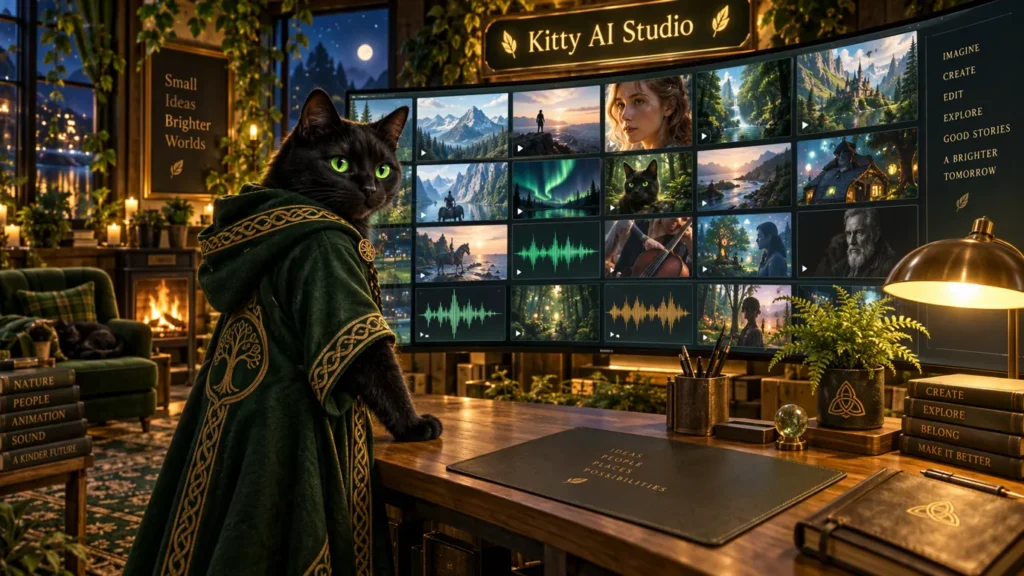
Kitty AI Studio is our pay-per-use web studio: pick a tool, upload a file or type a prompt, and pay per job from your credit balance (1 credit = $0.01, no subscription). We rebuilt it in November 2026. Here is what changed, from the new hub and eight new tools to simpler prices and the tools we retired.
A new hub that is easier to search
The hub now works like a catalogue:
- Search: type a model name or a task, for example “upscale” or “talking”.
- Category chips: Video, Images, Edit & Swap, Talking & Motion, Enhance & Upscale and Audio.
- A filter to show only “Our GPUs” or only “Partner models”.
- Light and dark mode.
- A short preview on every card, with the price and the typical time.
“Our GPUs” means open models on our own serverless GPUs (RTX 5090 class). “Partner models” are Veo 3.1, Kling 3.0, Seedance, Wan 2.7, GPT Image 2.5, Nano Banana 2.1, Omni Flash and OmniHuman 2.0, which run through partner APIs at their usual prices.
Eight new tools in Kitty AI Studio
All eight are live and run on our own GPUs. Times are typical for a warm GPU; the first job after a quiet period can take a few minutes longer while a GPU starts.
H3 Reference to Video turns one or two reference pictures and a prompt into a 2–10 second clip (4 seconds by default). Built on MiniMax’s open H3 video model, it has two optional looks: CinemaGrade, a graded film look, and Commercial 80s, a retro TV-commercial look. A 4-second clip costs $0.47 and takes about 3–4 minutes.
H3 Extend continues an existing clip from its last frames, in the same style. Each run adds about 4.5 seconds for a fixed $2.30 and takes about 20 minutes. It is the slowest and priciest of the new tools, so use it on shots you already like.
H3 Long Take makes one continuous 8-second shot, for example a walk through a house, guided by two reference pictures and an optional end frame. It costs a fixed $1.42; our preview took about 11 minutes.
SolarRenderer takes a grey 3D blockout (a clip of plain grey shapes with a camera move) and one picture of the look you want. It returns a finished cinematic shot of about 4.5 seconds that follows the blockout’s camera and layout, for a fixed $0.93, in about 7 minutes.
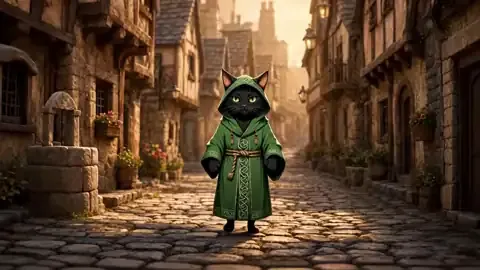
Qwen Person Swap puts the person from one photo into another photo. Upload the scene and a character photo, then choose “body” mode (the whole person, outfit included) or “head” mode (only the head). A second character, a fast mode and a prompt are optional. $0.34 per picture, about 2 minutes.
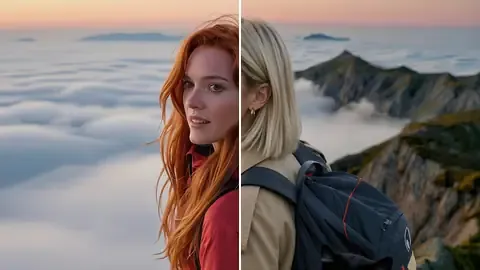
Image Layers splits one picture into separate layers, such as the background, the subject and other objects, to edit or animate each part on its own. Upload the picture with a short description. $0.38, about 2–3 minutes.
Stem Splitter turns one audio file into three: dialogue, music and effects. Use it to remove music from a clip, remix a soundtrack or get clean dialogue for dubbing. $0.13 per file; a 10-second clip took about 15 seconds in our test.
Room Acoustics places a dry voice or sound in a realistic room. Besides the “wet” audio you get the room’s impulse response, a short file that captures how the room sounds, so you can reuse that room in your own editor. A room recipe is optional for advanced users. $0.10 per file, done in seconds.
Faster LTX 2.5, more control in H3 Character Swap
LTX 2.5 from Lightricks does text to video, image to video and first & last frame. It is a 22B distilled model that writes its own soundtrack or uses your audio track, with two LoRA slots and 1 or 2 megapixel output. It now runs 6 sampling steps with hardware video encoding: a 5-second image-to-video clip takes about a minute, first & last frame about 2 minutes, text to video about 1.5–4 minutes.
All three modes share one price at 1 megapixel: $0.35 for 5 seconds, $0.60 for 10, $1.10 for 20. At 2 megapixels the per-second part doubles (5 seconds: $0.60). The LTX 2.5 Upscaler goes up to 2.4 megapixels.
H3 Character Swap replaces the person in a video while the room, camera, motion and original sound stay as they were. Two options are new. Start time sets where in your clip the 5–15 second window begins. The optional automatic anchor frame first makes a clean edited first frame with Qwen Image 2.1, which keeps the new character more consistent (+$0.15); you can also upload your own anchor frame. A 5-second swap costs $0.78, or $1.45 at 768p.

Smaller changes:
- Z-Image Turbo, Z-Image Detailed and Krea 2 GonzoLomo: the 4x “PiD” upscaled copy is now an optional switch, off by default, +$0.02 per image.
- Z-Image Detailed accepts an optional reference photo to match its look, replacing the separate Z-Image from Reference tool.
- The style dropdown moved from MiniMax H3 Talking Video to H3 Reference to Video.
Clearer prices
On our GPUs every price is a fixed part plus a per-unit part (per picture or per second of video), rounded up to a whole cent. The tool page shows the exact price before you pay.
Z-Image Turbo, Z-Image Detailed, Krea 2 Turbo, Krea 2 GonzoLomo, Krea 2 Ultra Realistic and Film Grain make up to 16 pictures in one run, MOSS Image up to 12. The fixed part is paid once per run, so the price per picture drops. Qwen Image 2.1, Anima and the edit and upscale tools make one picture per run.
| Tool | 1 picture | 16 pictures in one run |
|---|---|---|
| Z-Image Turbo | $0.17 | $0.50 ($0.031 each) |
| Krea 2 Turbo | $0.15 | $0.66 ($0.041 each) |
| Film Grain | $0.11 | $0.20 ($0.013 each) |
Retired tools and what to use instead
| Retired | Use instead |
|---|---|
| LTX 2.3 | LTX 2.5 |
| WAN Animate, Wan SCAIL | SCAIL-2 |
| WAN 2.6 | Wan 2.7 or LTX 2.5 |
| Nano Banana Pro | Nano Banana 2.1 |
| Ideogram 4 | GPT Image 2.5 for text in images |
| MagiHuman | MiniMax H3 Talking Video, InfiniteTalk or OmniHuman 2.0 |
| Z-Image Base, Z-Image from Reference | Z-Image Detailed |
| Qwen Image Edit, Qwen Change Clothes, Qwen Inpainting, Qwen camera angles, Multiple Character Angles, Qwen Upscale | Qwen Image 2.1, Qwen Image 2.1 Inpainting, Krea 2 Inpainting |
Also retired: FireRed Edit, Instagirl, SVI WAN 2.2, AI Green Screen, Image/Video Enhancer, Long Video Basic, the old First & Last Frame, Image to Video Fast, the old Text to Image, WAN Realistic Image, the FLUX upscalers, Boogu, Ernie Image and Kling o1, 2.6 and Avatar. Still live: the four Seedance 2.0 tools, Seedance 2.5, Kling 3.0, Veo 3.1, Wan 2.7, Omni Flash, SCAIL-2 and InfiniteTalk.
The Music Video Creator moved into the Kitty app
The Music Video Creator page is retired. The free Kitty app for Windows replaces it and does much more: it is a full video editor whose built-in AI agent plans shots on the timeline, shows their cost and generates them on your OK from the same druidcat.com credits.
Files are kept for 24 hours
Kitty AI Studio keeps your inputs and results for 24 hours and then deletes them automatically, so download anything you want to keep. New accounts get a $0.20 welcome credit valid for 7 days. Paid credits stay valid for about 12 months, with no monthly fee.
Guides for the new tools: the video tools, Qwen Person Swap and Image Layers, and the audio tools. More on the tutorials page.
FAQ
Is Kitty AI Studio a subscription?
No. You buy credits (1 credit = $0.01) and pay per job, with the exact price shown before you pay. Paid credits stay valid for about 12 months.
What replaced LTX 2.3?
LTX 2.5. It covers text to video, image to video and first & last frame, writes its own soundtrack and got faster with this update. A 5-second clip costs $0.35.
Where is the Music Video Creator?
It is retired. Use the free Kitty app: its AI agent analyses your song, plans and generates the shots, places them on the beat and adds captions.
Why did my job take longer than the time on the card?
Cards show typical times on a warm GPU. The first job after a quiet period can take a few minutes longer while a GPU starts.